Your template.
Every client’s brand.
No card required.
Turn your logo, colors and type into a complete, editable brand guideline right inside Figma.






 How it works
From brand assets to brand guidelines.
Three steps. A complete, editable Figma guideline.
- Corporateby Framebook
Pick a template
Start with a Framebook template or use your own.
 Logo
Logo Colors
 Fonts
FontsAdd your brand
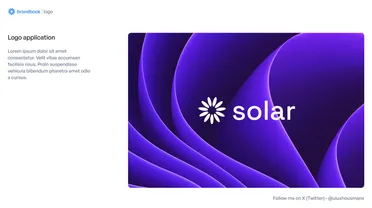
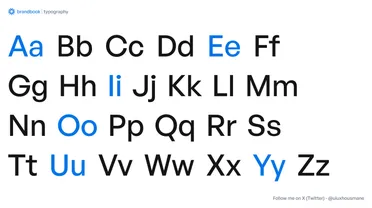
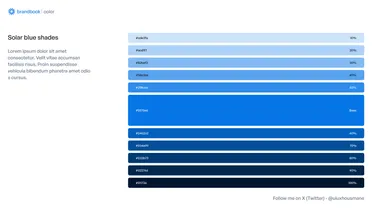
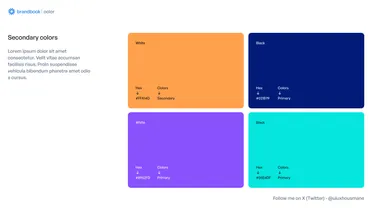
Add your logo, colors, and typography.

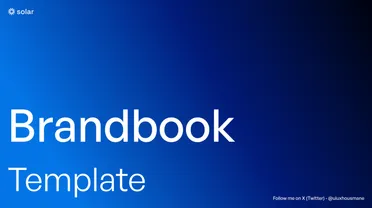

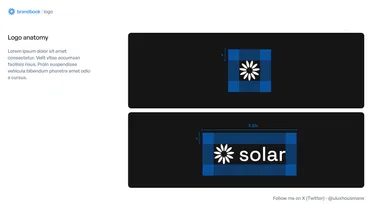

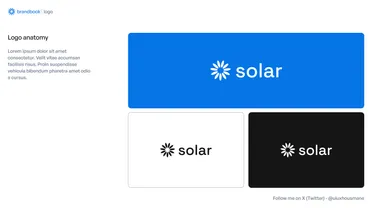




Generate
Framebook builds your complete guideline, ready to edit in Figma.
 The killer feature
Your template works too.
Already have your own guideline design? Turn it into a reusable Framebook template and use it for every client.



 Create your own template
Turn your Figma file into a template.
Three things to mark up, so Framebook knows what to swap.
- {{brand.name}}{{logo.symbol}}{{logo.primary}}{{page.number}}{{logo.wordmark}}{{logo.stacked}}{{tagline}}{{logo.horizontal}}
Name dynamic layers
Name a layer with a Framebook tag to tell it what content belongs there.
Template
 primary#1469E2
Client
primary#FF990ABind colors to variables
Bind fills to your brand variables. When a new brand is generated, Framebook swaps the values everywhere they're used.
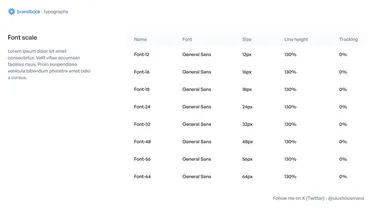
- xl - 140/110h1 - 96/110h2 - 48/120lead - 32/130md - 24/140label - 16/150caption - 14/150body - 14/160
Use text styles for typography
Use Framebook-ready text styles to define typographic roles. Framebook changes the typeface while preserving your sizing, spacing, and hierarchy.
Set it up once. Reuse it for every client.Everything else stays yours.
Your layout. Your grid. Your spacing. Your hierarchy.
Only the brand data changes.
Minimum Size
To ensure legibility, our logo must not be reproduced at sizes smaller than those specified here.
Adhering to these minimums for print and digital use is essential for brand integrity.
Digital: 50px
Digital: 150px
Digital: 150px
TemplatesStart with ours. Make it yours.
Choose a professionally designed template and generate a complete brand guideline in minutes.
Corporate
Structured layouts for professional, business-first brands.
- Auto Layout
- Variables
- Text Styles
Editorial
Typography-led layouts for refined, premium identities.
- Auto Layout
- Variables
- Text Styles
Modern
Bold, flexible layouts for contemporary digital brands.
- Auto Layout
- Variables
- Text Styles





 Plans & Pricing
Save hours on
every brand.
One client project can easily pay for a full year of Framebook.
Framebook Pro
Everything you need to generate complete brand guidelines in Figma.
$7.50month$90 billed annually
Start Pro — $90/year- All guideline pages
- All Framebook templates
- Create your own templates
- Unlimited brands
- Fully editable output
- Generate directly in Figma
- Future templates included
Design the brand
Framebook the rest.
Turn your logo, colors and type into a complete, editable brand guideline right inside Figma.
 Frequently asked questions
Got questions about Framebook?
We’ve got answers.
What is Framebook?
Framebook is a Figma plugin that turns your logo, colors, typography, and brand assets into a complete, editable brand guideline.
Does Framebook work directly in Figma?
Yes. Your guideline is generated directly inside Figma and stays fully editable.
Can I use my own brand guideline template?
Yes. With Framebook Pro, you can turn your existing Figma guideline into a reusable template and use it again for future clients.
Do I have to use a Framebook template?
No. You can start with one of Framebook’s templates or create your own reusable template.
What does the free version include?
You can try Framebook for free and generate the first 3 pages of a guideline. Upgrade to Pro to generate the complete guideline.
What’s included in Framebook Pro?
Framebook Pro includes complete guideline generation, all Framebook templates, unlimited brands, custom templates, and fully editable Figma output.
How much does Framebook cost?
Framebook Pro is $19/month, or $90/year when billed annually.
Can I cancel anytime?
Yes. You can cancel your subscription at any time. You’ll keep access until the end of your current billing period.